

Translating words is only half the job. If a translated document looks broken, with text overflowing boxes, misaligned images, or fonts that cannot render the target language, it will not serve its purpose no matter how accurate the translation is. That is where DTP comes in.
How DTP Fits Into the Translation Process
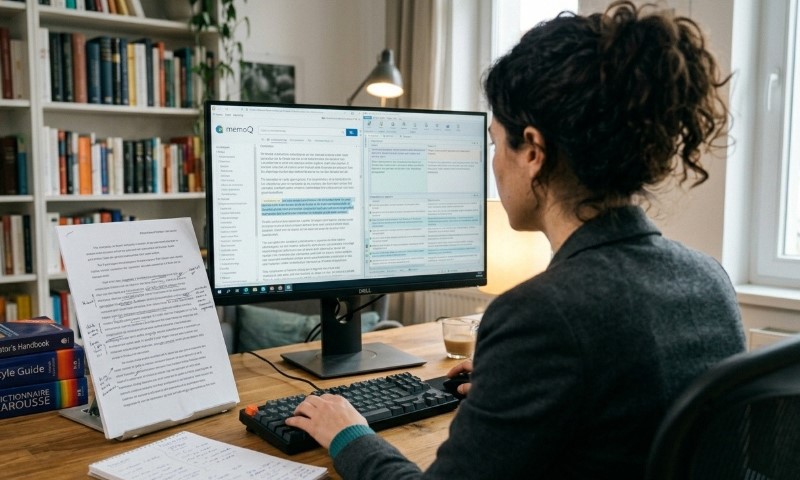
DTP stands for Desktop Publishing. In the context of translation, DTP is the process of reformatting and redesigning a translated document so it looks exactly as polished and professional as the original. It involves adjusting layouts, fonts, images, and graphic elements to accommodate the translated text in the target language.
When you translate content, the text almost never fits the original design perfectly. A German sentence might be 30% longer than the English version. Arabic reads right to left. Chinese characters need different line-spacing rules. DTP handles all of that, making the final document print- and publication-ready.
What Does It Actually Cover?
DTP in translation is a structured post-translation step that requires both technical skill and language awareness. Here is what it typically involves:
| Text expansion/contraction adjustments | Translated text is often longer or shorter than the source |
| Font substitution | Source fonts may not support the target language’s character set |
| Right-to-left (RTL) layout conversion | Required for Arabic, Hebrew, Urdu, and similar languages |
| Image and graphic localization | Captions, labels, and embedded text inside images must be updated |
| Typesetting and spacing | Line height, kerning, and hyphenation rules differ across languages |
| File format preservation | Final output must match the source file format (PDF, InDesign, Word, etc.) |
A DTP specialist works with tools like Adobe InDesign, Illustrator, QuarkXPress, FrameMaker, and sometimes Microsoft Word or PowerPoint, depending on the source file.
Why Is DTP Important in Translation?

1. Accuracy Goes Beyond Words
A translated brochure where text runs off the page, or a manual where the table of contents no longer matches page numbers, creates a poor experience and undermines trust. DTP ensures the translated document communicates the same message with the same clarity as the original.
2. It Is Essential for Regulated Industries
In sectors like pharmaceuticals, healthcare, and government compliance, documents must meet strict formatting standards. A drug label or a patient consent form cannot have layout errors. DTP is not optional in these contexts.
3. It Supports Localization, Not Just Translation
True localization means adapting content for a target market culturally and visually, not just linguistically. DTP is a core part of that. Changing a document’s reading direction, replacing culturally irrelevant images, or adjusting color usage for a different market all fall under DTP.
4. It Protects Brand Consistency
For businesses expanding into new markets, brand standards must remain intact. Font choices, logo placement, color palettes, and layout grids need to carry over into every language version. DTP ensures that happens.
- Faster time to market. Combining translation and DTP in one workflow eliminates the back-and-forth between separate vendors.
- Cost efficiency. Catching layout issues before print or publication is far less expensive than reprinting or correcting live content.
- Higher quality output. A professionally typeset translation is easier to read and signals credibility to the target audience.
- Compatibility across formats. DTP specialists can work across PDF, InDesign, Word, PowerPoint, HTML, and more, delivering files ready for immediate use.
How Does DTP Differ from Word Processing?
This is a common question. Word processing (Microsoft Word, Google Docs) handles basic text formatting. DTP goes much further.
| Word Processing | Desktop Publishing |
| Linear text flow | Precise control over every design element |
| Limited typography options | Advanced kerning, leading, and hyphenation |
| Basic image placement | Complex image-text integration |
| Suitable for simple documents | Suitable for print, publishing, and multilingual materials |
When a document has precise visual requirements such as a product catalog, a training manual, or a multilingual annual report, DTP is what delivers a professional result.
When Do You Need This Services For?
Not every translation project requires DTP, but it becomes necessary when:
- The source file has a designed layout (brochures, packaging, manuals, catalogs)
- The target language uses a different script or reading direction
- Text expansion or contraction will break the original design
- The document will be printed or published
- Embedded text within images needs to be translated
Our Approach to DTP at Elmura Linguistics
View this post on Instagram
We combine professional translation services with DTP support so clients receive a finished, publication-ready document rather than a translated file that still needs design work.
Our team handles DTP across a wide range of industries, including technical, marketing, healthcare, and financial content, in 350+ languages.
If your project involves documents that need to look as good in the target language as they do in the source, contact us or request a quote and we will walk you through what the process involves for your specific files.
Frequently Asked Questions
Conclusion
DTP in translation fills the gap between accurate text and a finished, usable document. Words translated correctly but presented poorly do not achieve their goal.
Whether you are publishing a multilingual product manual, a regulatory submission, or a marketing brochure for a new market, DTP is what makes the final output look intentional and professional. It is a step that protects your investment in translation and ensures the end reader receives content that was built for them.